Speaker recognition
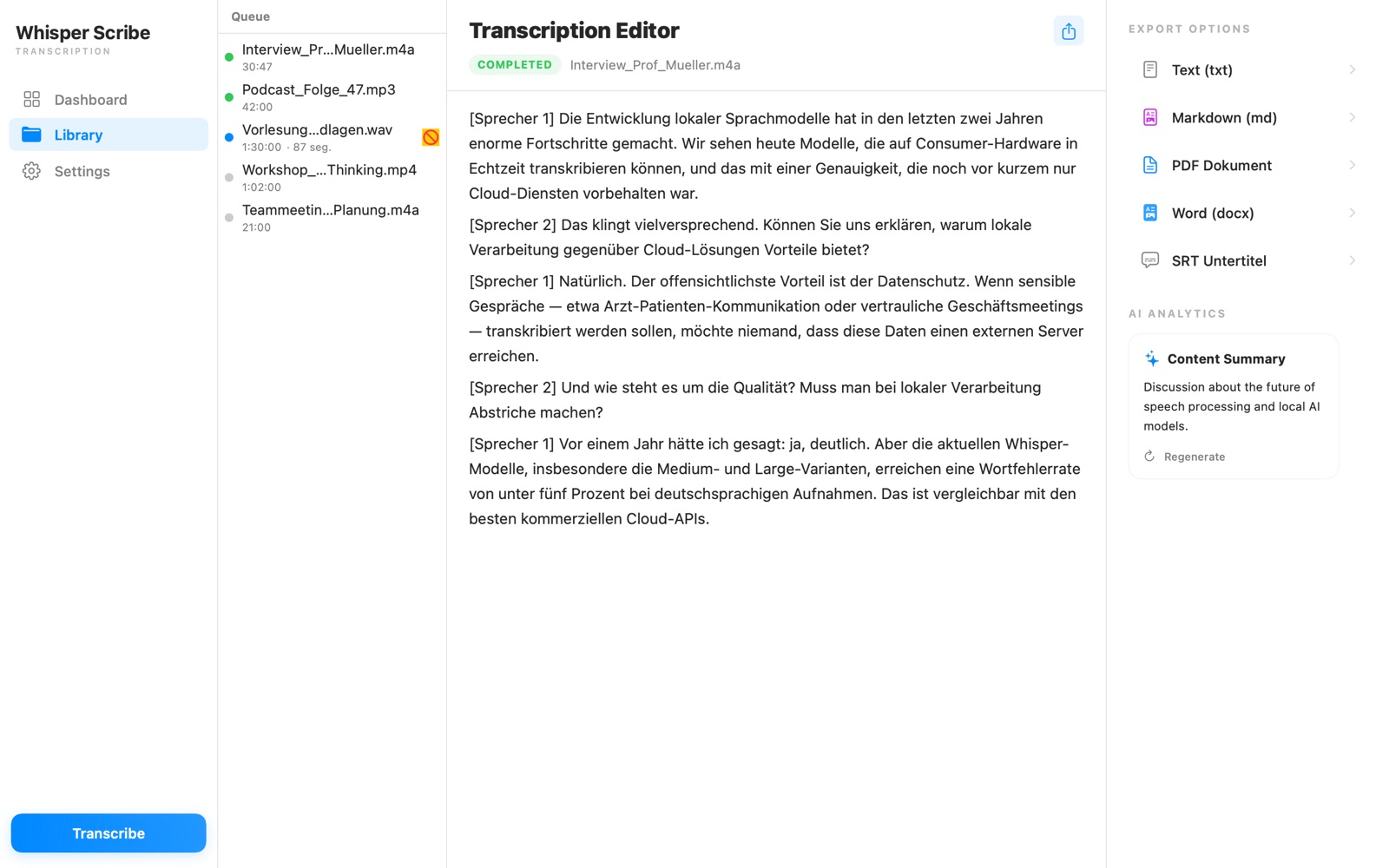
Automatic [Speaker 1], [Speaker 2] labels in your transcript. Rename them to real names — reflected in every export format.
One purchase. Everything included.
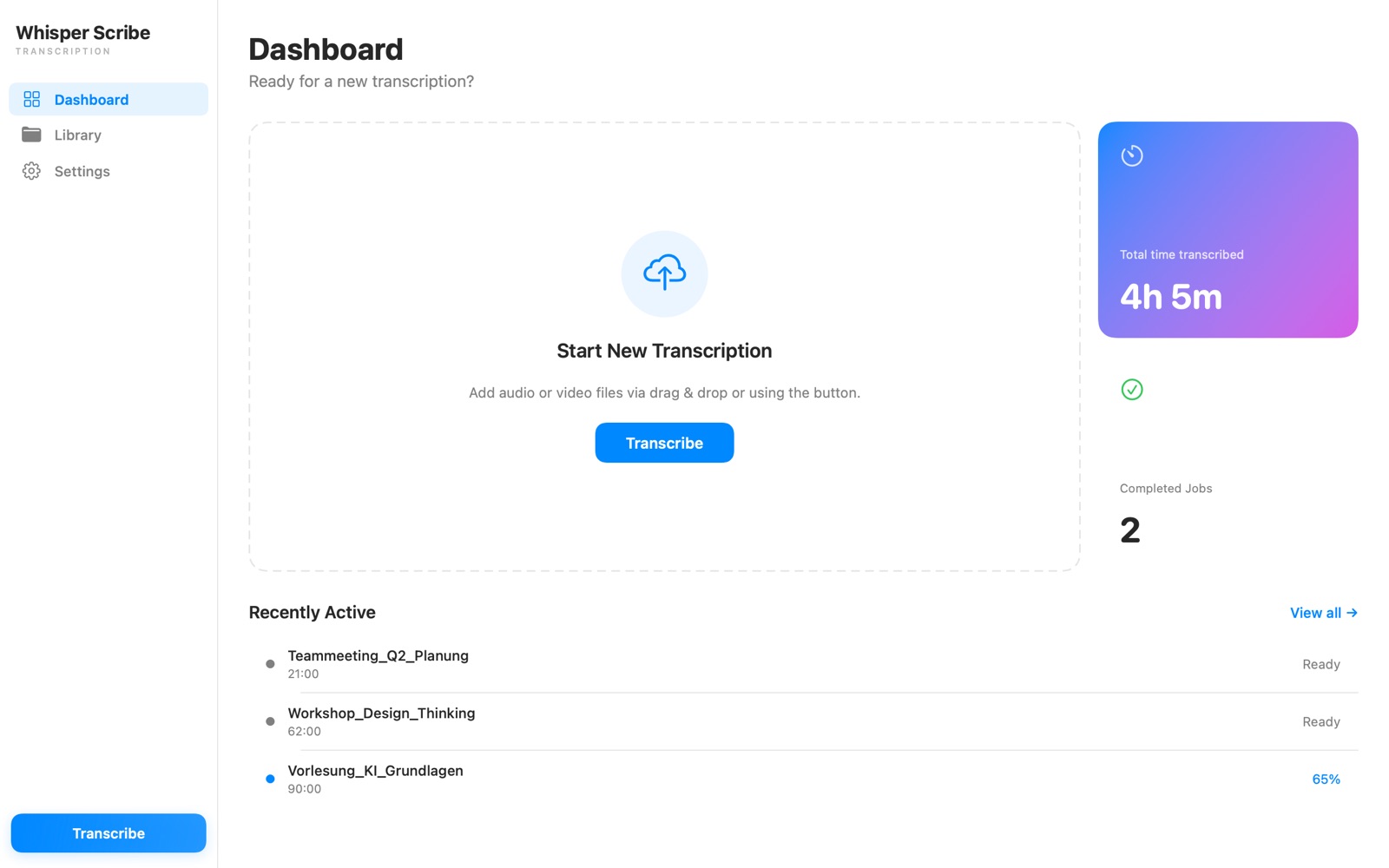
WhisperScribe turns recordings into accurate text — no upload, no cloud, no account. Powered by OpenAI Whisper, running entirely on your Mac.

One-time purchase · All features included · macOS 14+
Automatic [Speaker 1], [Speaker 2] labels in your transcript. Rename them to real names — reflected in every export format.
PDF, Word (DOCX), Markdown, TXT and SRT subtitles. Export your whole library to a folder with one click.
Transcribe multiple files at once with up to 4 parallel jobs — with real-time progress and a live transcript.
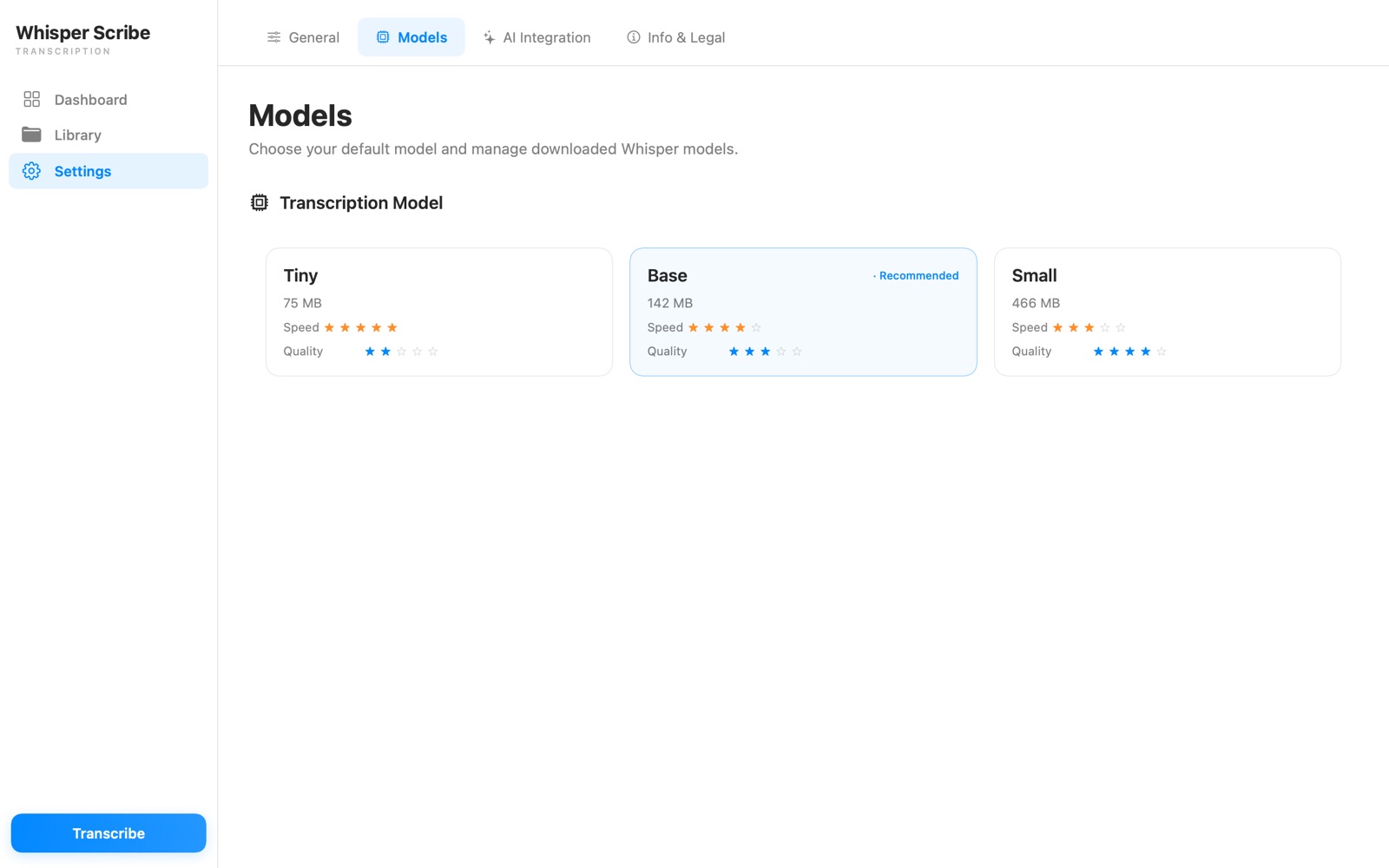
From Tiny (75 MB) for quick drafts to Large v3 Turbo (2.9 GB) for maximum accuracy — downloaded on demand.
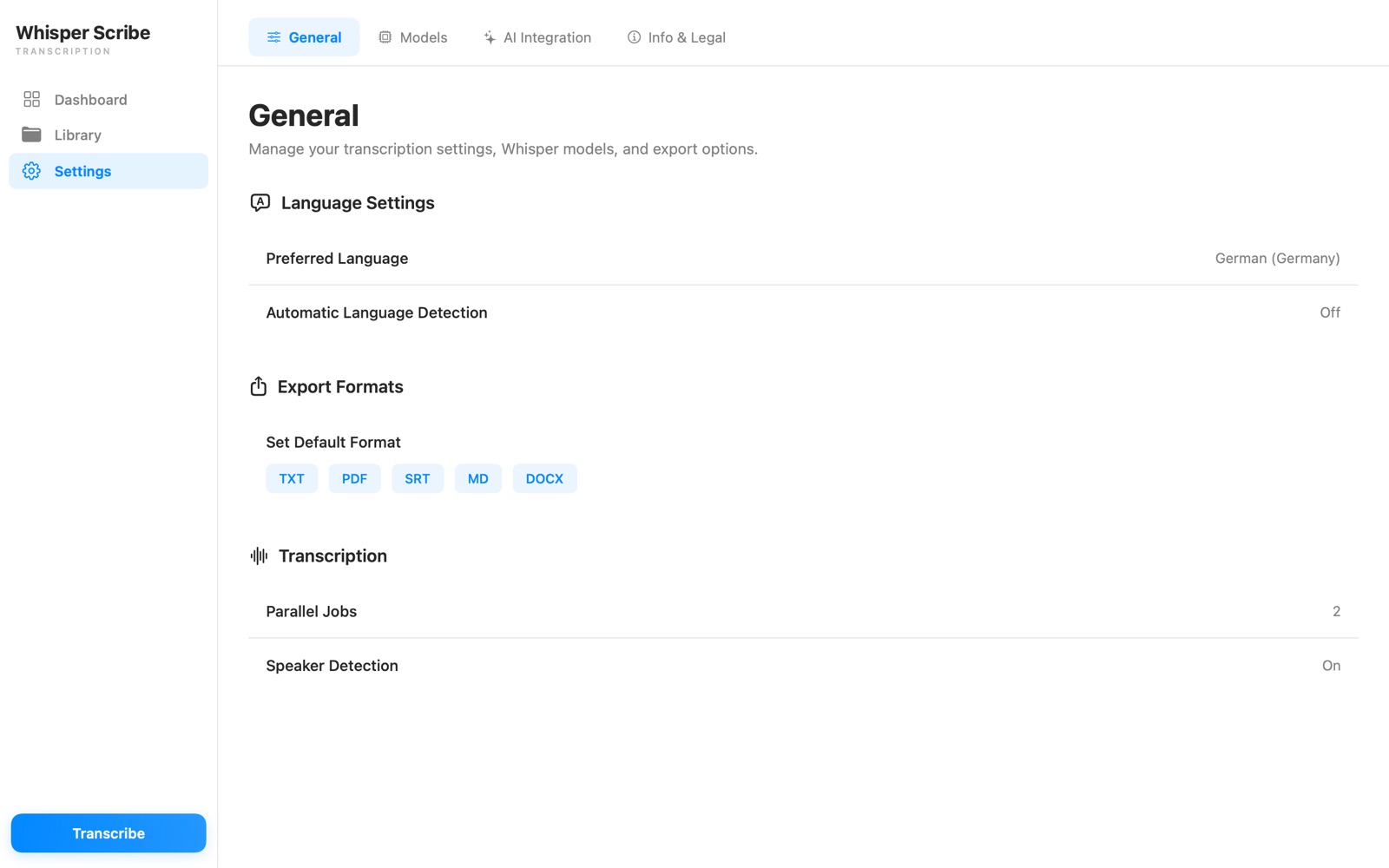
Automatic language detection or manual selection, with optional timestamps for every segment.
Optional summaries via LM Studio or Ollama with prompt templates — your local LLM, not a cloud service.
Audio is extracted from video automatically.
Interviews, meetings, voice notes — transcription happens on your machine, not on a server.
No personal data, no usage statistics, no trackers. There is nothing to opt out of.
Whisper models are downloaded once over HTTPS and stored locally. After that, WhisperScribe works completely offline.
Sandboxed, reviewed by Apple, and installed and updated through the Mac App Store.
Audio or video, MP3 to WEBM — WhisperScribe extracts the audio automatically.
Choose one of 13 Whisper models — language detection handles the rest, or set it yourself.
Follow the live transcript, rename speakers, and export to PDF, DOCX, Markdown, TXT or SRT.
Buy WhisperScribe once and use it forever. Every feature is included — no subscription, no trial, no account.
Pay once, use forever. All features included — no subscription.
Download on the Mac App StoreOne purchase includes all 13 Whisper models, speaker recognition, AI summaries, all 5 export formats and Family Sharing.
Prices may vary by region and are charged through the Mac App Store.
No. WhisperScribe is a one-time purchase: pay once and use everything forever. There is no subscription, no trial to manage and no account — all features are available from the first launch.
Everything. One purchase unlocks all 13 Whisper models, speaker recognition, AI summaries, batch processing and all 5 export formats — with no add-ons or in-app purchases.
No. If you already own WhisperScribe, you keep full access to every feature — no new purchase needed.
Yes. Transcription runs entirely on your Mac — recordings are never uploaded. WhisperScribe collects no personal data, no usage statistics, and contains no trackers. After the one-time model download it works fully offline.
Input: MP3, M4A, WAV, AIFF, FLAC, OGG, OPUS, MP4, MOV, MKV, AVI and WEBM — audio is extracted from video automatically. Export: PDF, Word (DOCX), Markdown, TXT and SRT subtitles.
macOS 14.0 (Sonoma) or later; Apple Silicon recommended. The app itself is under 2 MB — Whisper models (75 MB to 2.9 GB) are downloaded on demand.
Yes. WhisperScribe supports Apple Family Sharing.
Get WhisperScribe and transcribe your first file in minutes.
One-time purchase · All features included · macOS 14+